

Your Scotia Insurance statements are now online.
Download the Scotia Caribbean App, today.


Your Scotia Insurance statements are available online.
eStatements are digital versions of paper statements. This means convenient, secure access to your information anytime, whether you’re at home or on the go. You can store and keep your information, reduce paper clutter and help the environment.
Get all the information you need about your Scotia Insurance policy when you sign in to the Scotia Caribbean App.
- Scotia Secure and Scotia Select policies: monthly statements: view up to 13 months'
- Affirm, Elevate, Legacy, Platinum policies: annual statements (available on your Policy Annivesary date): view up to 7 years'

View your statements quickly and securely.

Access your policy info 24/7 plus, review previous statements directly online.

Reduce paper and keep your records conveniently in one place.

Access your Annual Contribution Statements (for tax purposes).
How-to access your Scotia Insurance statements in the Scotia Caribbean App.
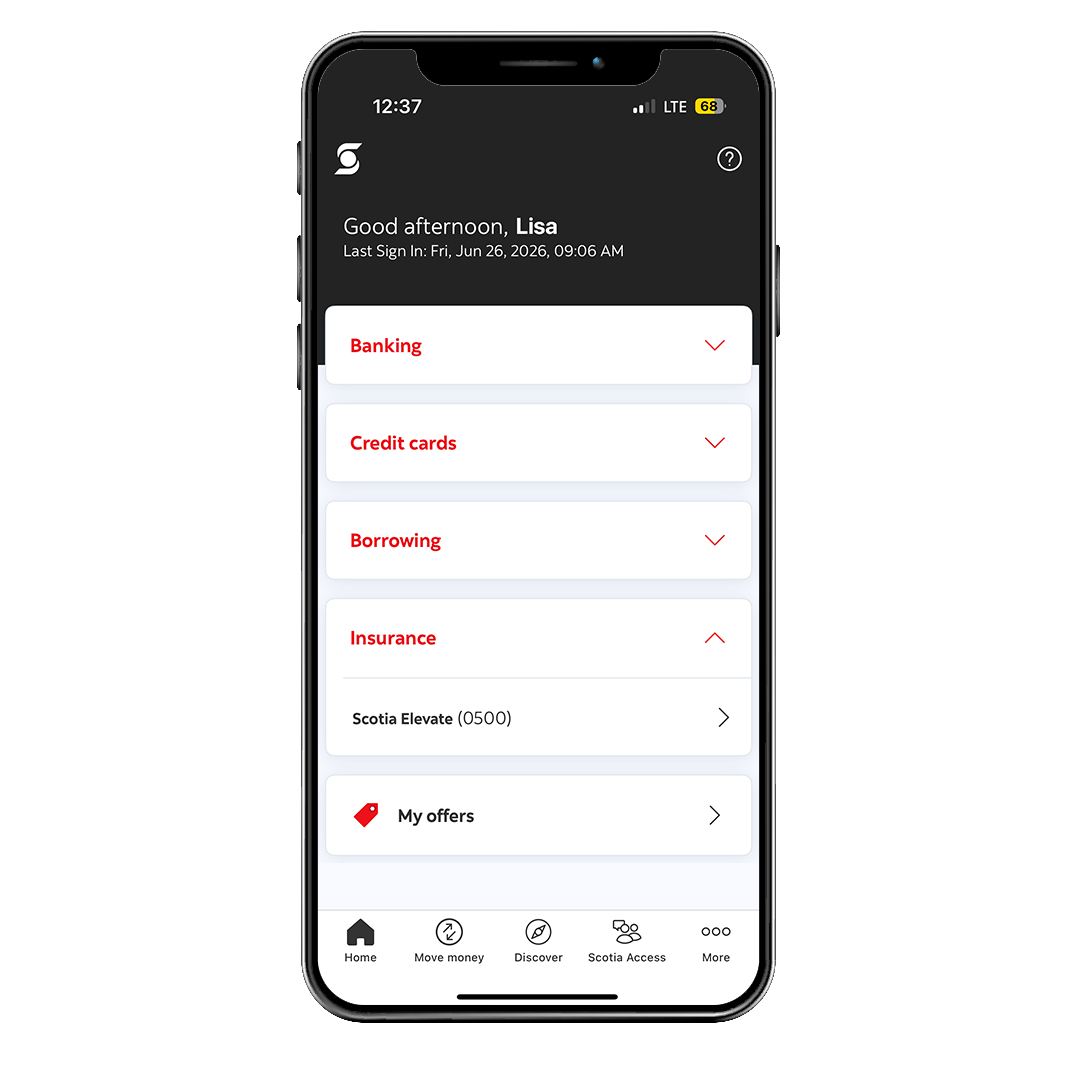
Step 1
Sign in to the Scotia Caribbean App, tap on the Insurance dropdown and select your Scotia Insurance policy you wish to view the statement for.
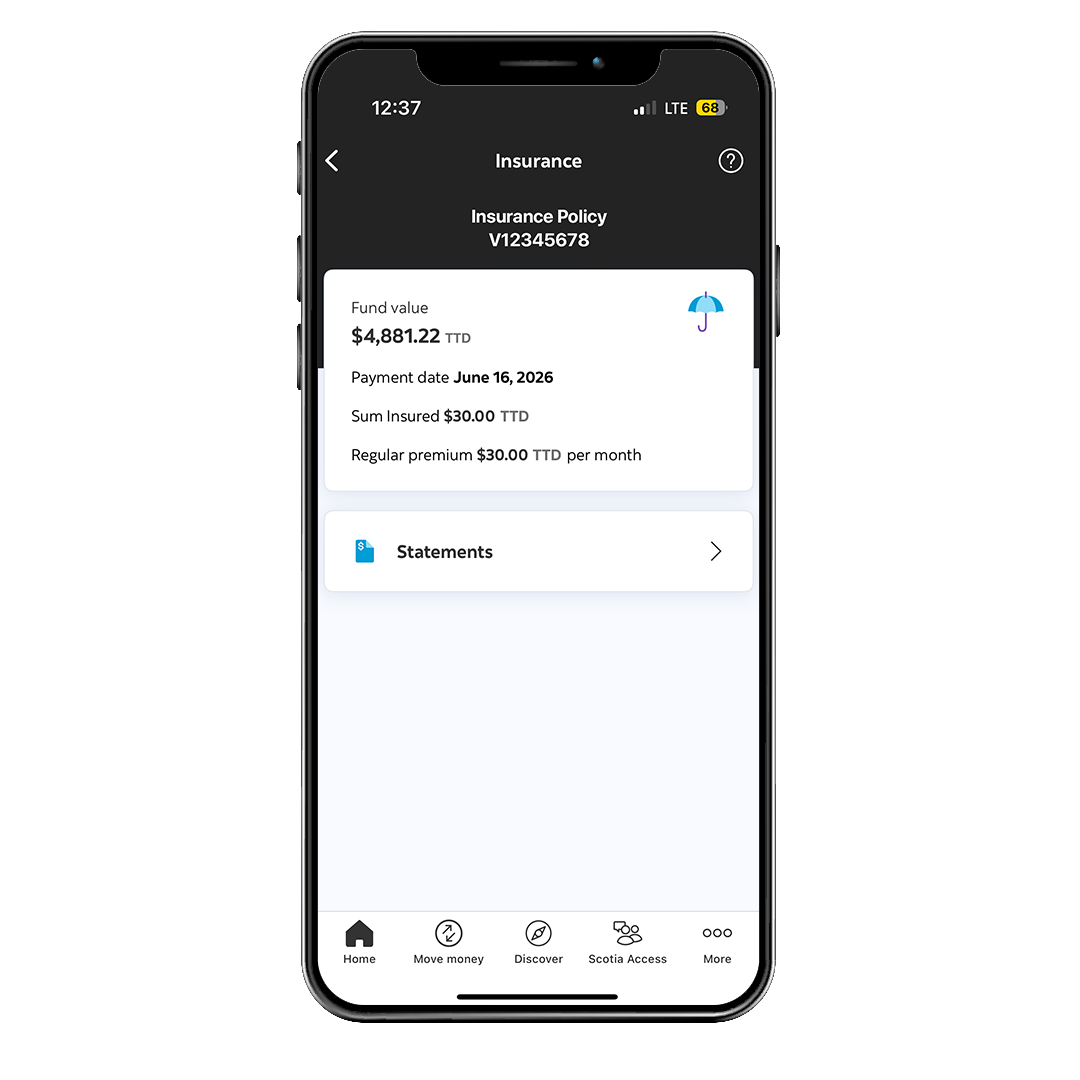
Step 2
In the Insurance section, select "Statements".
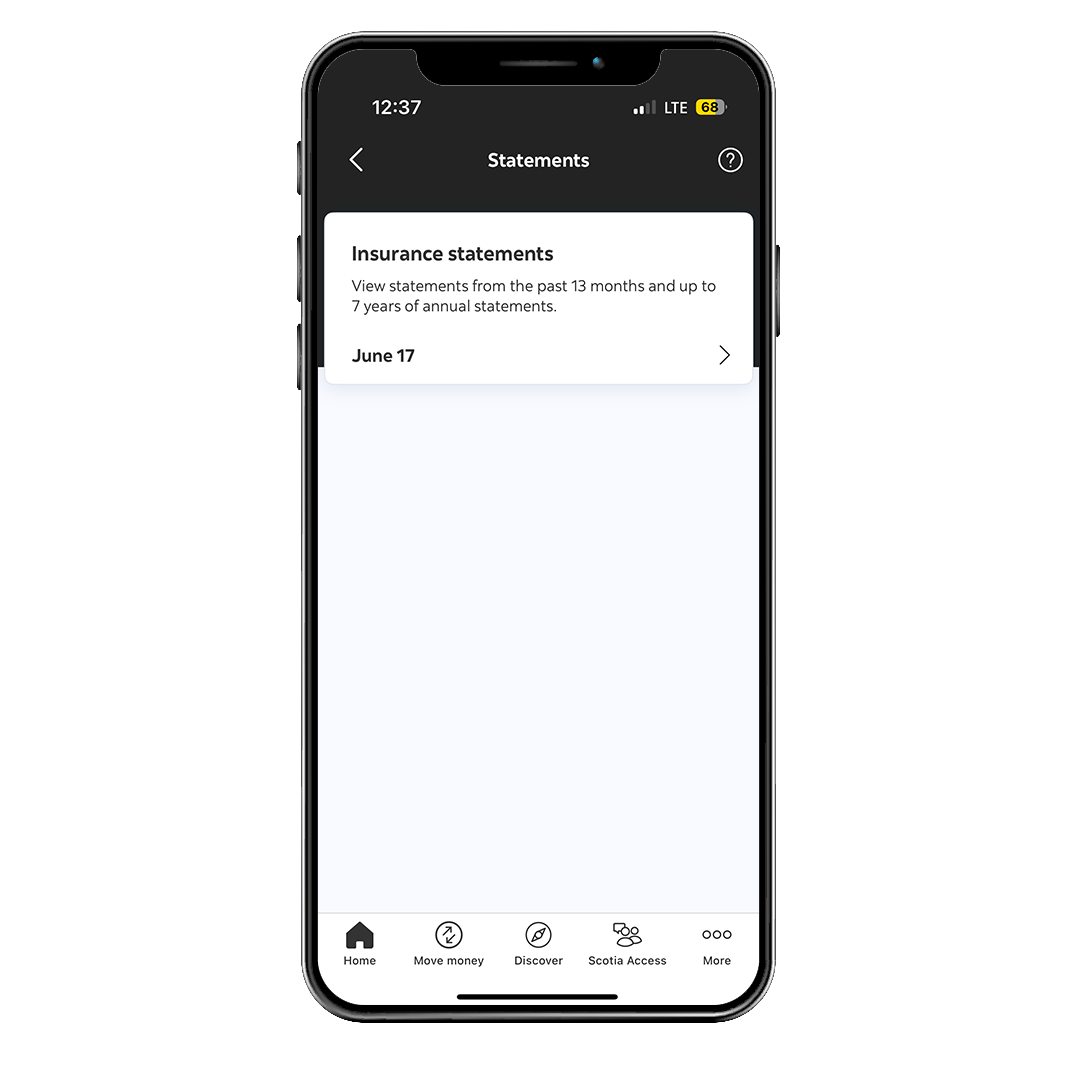
Step 3
Choose the month you wish to view.
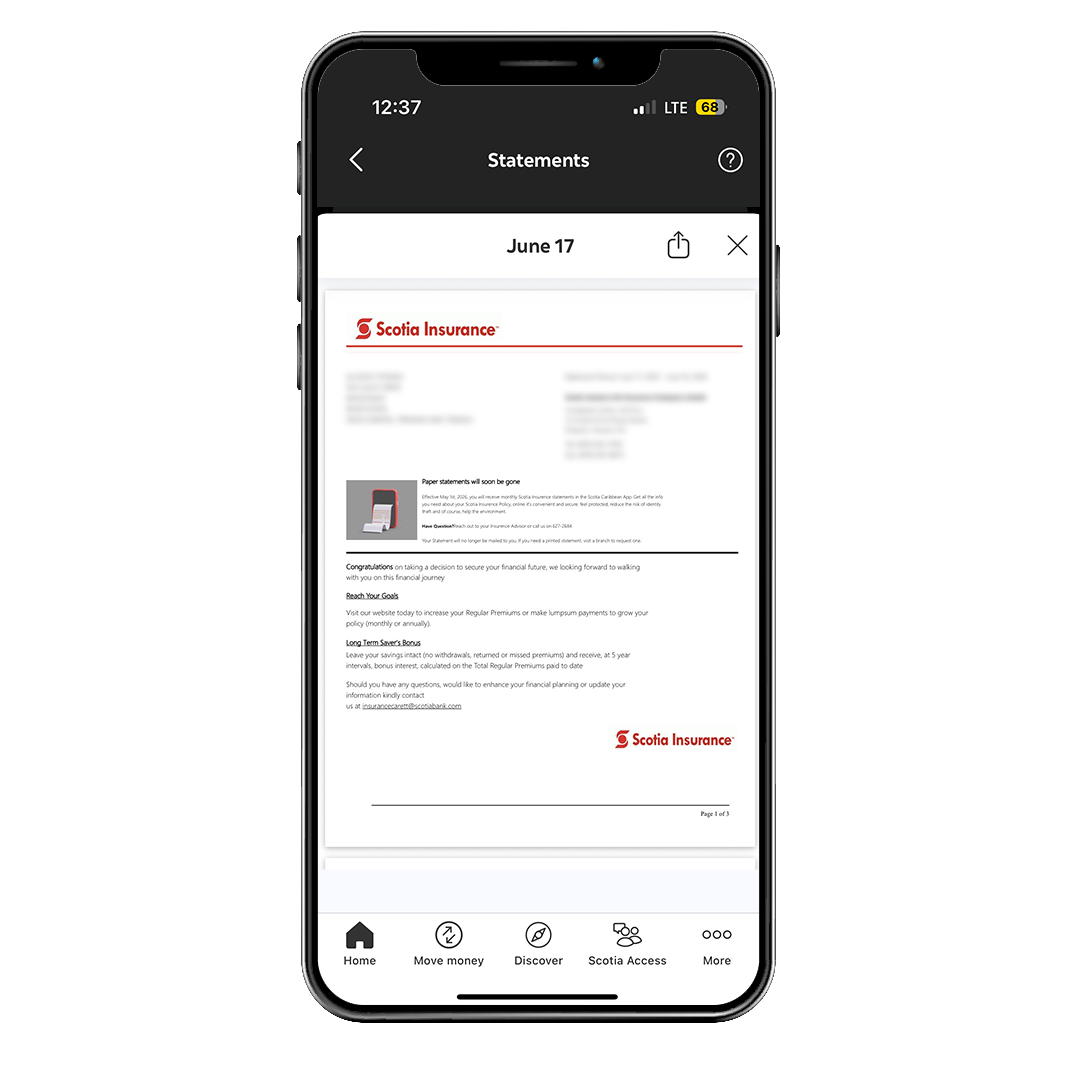
Step 4
View your Scotia Insurance statement online. You may save, print or share it via email.
Your printed statements will no longer be mailed to you.
You may still request your printed statements, free of charge.